Back to the right bay, even underground.
In a multi-storey or an underground car park, it remembers the level, the bay and the lift you took, and gets you back to them. At the airport or in a festival field, it keeps what that place needs. It's free, and there's no account and no ads.


How it works
Park
Tap save, or point the camera at the level sign. It reads the level and bay, and you check them.
Walk away
Pick the exit you used, whether that's the lift, the stairs, a ramp or a door, and add a photo if it helps.
Come back
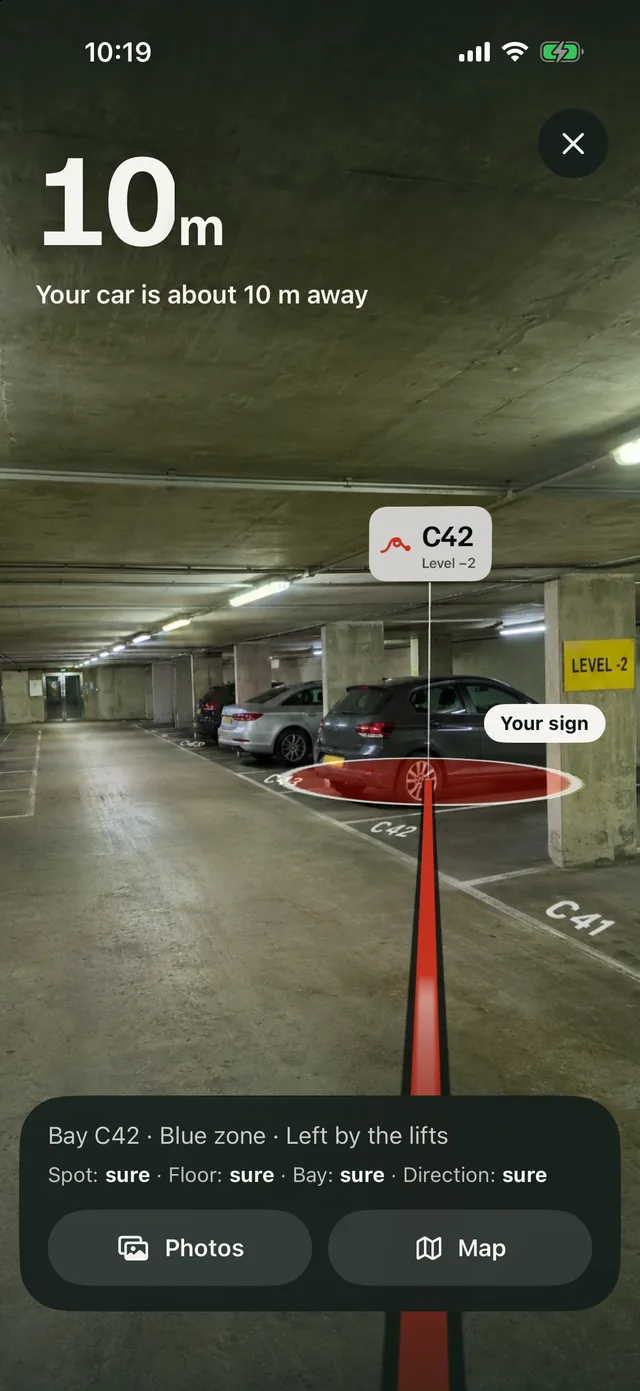
It plays your walk back as photos, then draws a red line on the floor in AR to the car.
Every place you park
Apple Maps and Google Maps already drop a pin when you park. What people forget is everything around it, like the zone and the shuttle stop, or the field and the flag. Each save keeps what that place needs, and the way back runs in order, so a bus ride comes before the walk.
Multi-storey and underground
−2 · C42
Level −2 · Bay C42
It reads the level and bay off your photo of the sign, and you pick the exit you used: lift, stairs, ramp or door. Coming back, you head for the right floor and the right exit, with your photos to check against.
Airport long stay
F12
Zone F · Row 12 · Shelter 14
It keeps the terminal, the zone, the row, the bus shelter and the day you're back, with a reminder at 07:00 that morning. The way back shows the bus first, then the walk.
Festivals and showgrounds
Flag 12
Field 4
It keeps the field and the flag, plus your photos. Coming back, it shows how far away the car is and offers walking directions.
On street in a town you don't know
Bridge St
From your note · 2 photos
It saves where the car is, and you can add the street name as a note and take photos. It records your walk away from the car too.
Most of the time, you won't need to open it.
On your car's screen
With CarPlay, tap Save my spot on the car's screen as you park. When you're back in the car, the screen shows your saved spot and an "I've collected the car" button. After a long stay at the airport, you get a reminder at 07:00 on the day you're back with the zone and the row.
It notices when you park
When CarPlay disconnects, you get a "Parked here?" notification. Without CarPlay, the app uses your phone's motion data to ask "Parked?" the next time you open it after a drive, or you can set up a Shortcuts automation that runs when you leave the car. One tap saves the spot. You can also ask Siri where your car is.
Send it to whoever's collecting the car.
Share a link with the level, the bay and where the car is. If they don't have the app, it opens in their browser with walking directions.
The spot travels inside the link, so anyone you send it to can open it and pass it on. Only send it to people you'd trust with your car's location.
Your spot and photos stay on your phone unless you choose to share the spot.
There's no account and no advertising, and the app doesn't use any third-party analytics. A few features do talk to Apple, such as the map and outdoor AR. The privacy page goes through each one.
GPS can't see underground
A pin on a map can't tell Level −1 from Level −2. Where's my cAR? keeps the level, the bay and the exit you used as well as the coordinate.